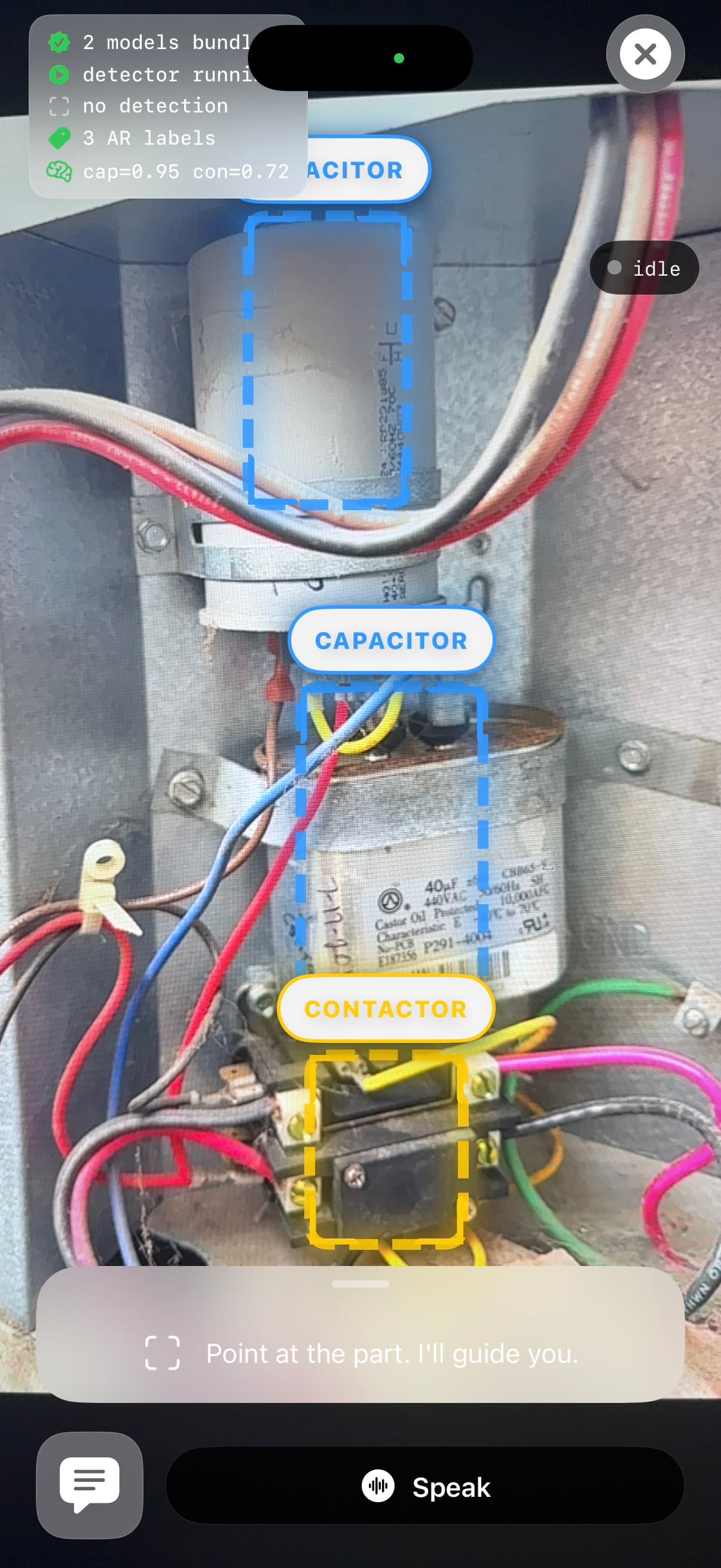
Video 01
Identify the part
A tech points the phone at the unit. SkillPlug labels the capacitor, contactor, or nameplate and keeps the repair grounded in what the camera sees.
SkillPlug uses camera and voice to identify HVAC parts, guide the next step, stop unsafe work, and save job notes.
Show the unit, talk through the symptom, follow one verified check, and leave a job trail your team can review.
Point
Show the part or panel.
Ask
Talk through the symptom.
Check
Stop before risky work.
Current AR workflow on an HVAC unit.
The iOS beta includes auth, voice, session history, repair flows, and paid Pro access.
The beta covers common diagnostic, safety, reference, procedure, and customer paths.
The app asks for photos, readings, and confirmations before risky HVAC work.
Solo technicians can start in beta, then use Pro when they need more sessions.
The homepage story
The videos do not need to sell everything. They just need to show the thing working: see the equipment, guide the check, stop at risk, save the note.
Identify the part
A tech points the phone at the unit. SkillPlug labels the capacitor, contactor, or nameplate and keeps the repair grounded in what the camera sees.
Guide the next check
The tech asks by voice. SkillPlug gives the next check instead of a long explanation or a generic answer.
Stop before unsafe work
Before electrical, gas, or refrigerant work, SkillPlug asks for proof or creates a handoff note instead of pushing ahead.
Without SkillPlug
That may work once. It does not create a repeatable training loop, and it keeps the same questions flowing back to senior people.
With SkillPlug
Senior techs still matter. SkillPlug handles the repeated first checks and documentation so coaching can focus on judgment.
Beta pilots
Start with a small field pilot. Use the videos to show the workflow, then use real sessions to decide whether SkillPlug belongs in the truck.