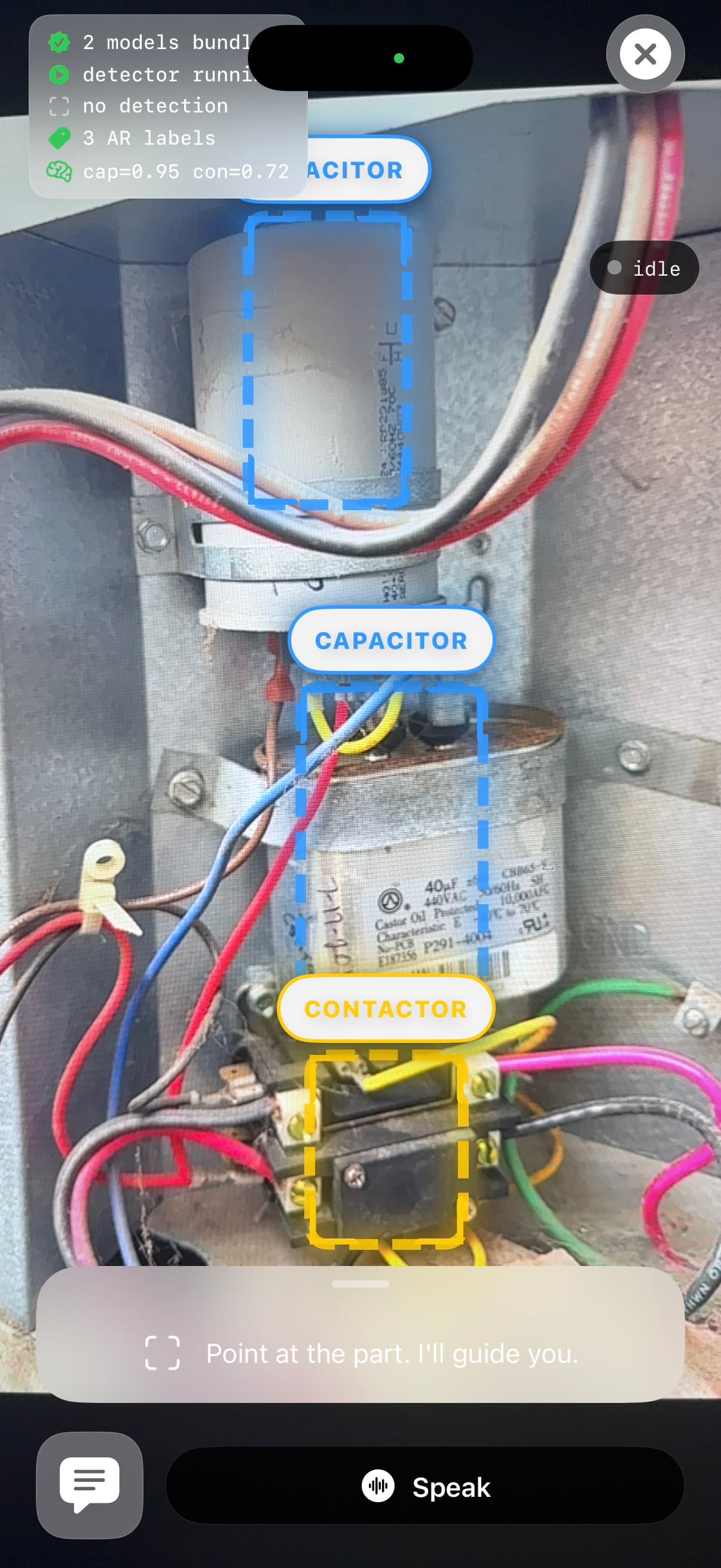
Video 01
Identify the part
Point the phone at the unit. SkillPlug labels the part and anchors the session in the camera view.
Product
SkillPlug identifies what the tech is looking at, guides the next check, stops before unsafe work, and leaves job notes the team can review.
The product story is the complete loop: point, label, ask, verify, stop, summarize.
Point
Show the part or panel.
Ask
Talk through the symptom.
Verify
Stop before risky work.
Product moments
Each moment is short, concrete, and grounded in what the technician sees.
Point the phone at the unit. SkillPlug labels the part and anchors the session in the camera view.
Ask by voice. SkillPlug gives the next field check instead of a long explanation.
Before electrical, gas, or refrigerant risk, SkillPlug asks for proof or prepares a handoff.
Repair session
SkillPlug is not trying to be a chatbot with HVAC vocabulary. It is a guided field loop.
Start with the unit, panel, nameplate, or part in front of the technician.
Describe the symptom, confirm a reading, or ask what to check next without typing.
SkillPlug keeps the session on the next useful step, not a wall of generic advice.
Missing proof, unsafe work, and out-of-scope tasks turn into a handoff note.
Inside the loop
The page should be honest: show what exists, show what is coming, and avoid pretending the whole team product is complete.
Photos and live view keep the repair tied to the exact equipment in front of the tech.
The tech can keep tools in hand and talk through the symptom, part, or reading.
The beta covers common diagnostic, safety, procedure, reference, and customer paths.
Sessions can capture diagnosis, evidence, warnings, and replacement-part context.
Today
That may solve one call, but the same questions keep coming back and the job notes stay thin.
With SkillPlug
Senior people still matter. SkillPlug handles repeated first checks and documentation so coaching can focus on judgment.
Next step
Start with a narrow pilot, real field sessions, and honest feedback on whether the workflow helps.